List "My Watches"
The watches you own.Add Watches
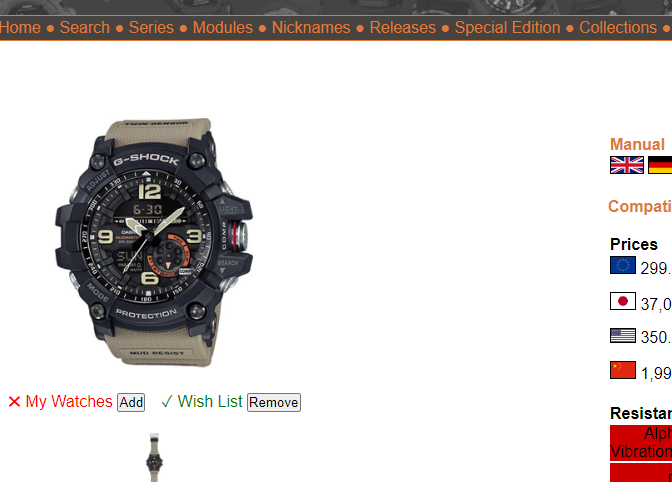
To add watches, you need to be logged in. Select any watch from the ShockBase database and press the Add button next to "My Watches", to add the watch to the list "My Watches".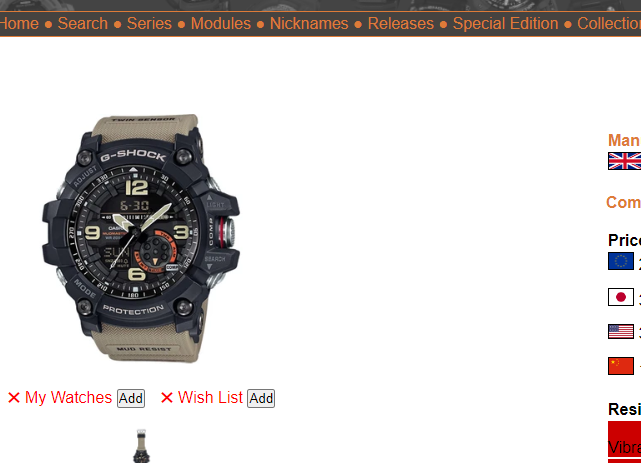
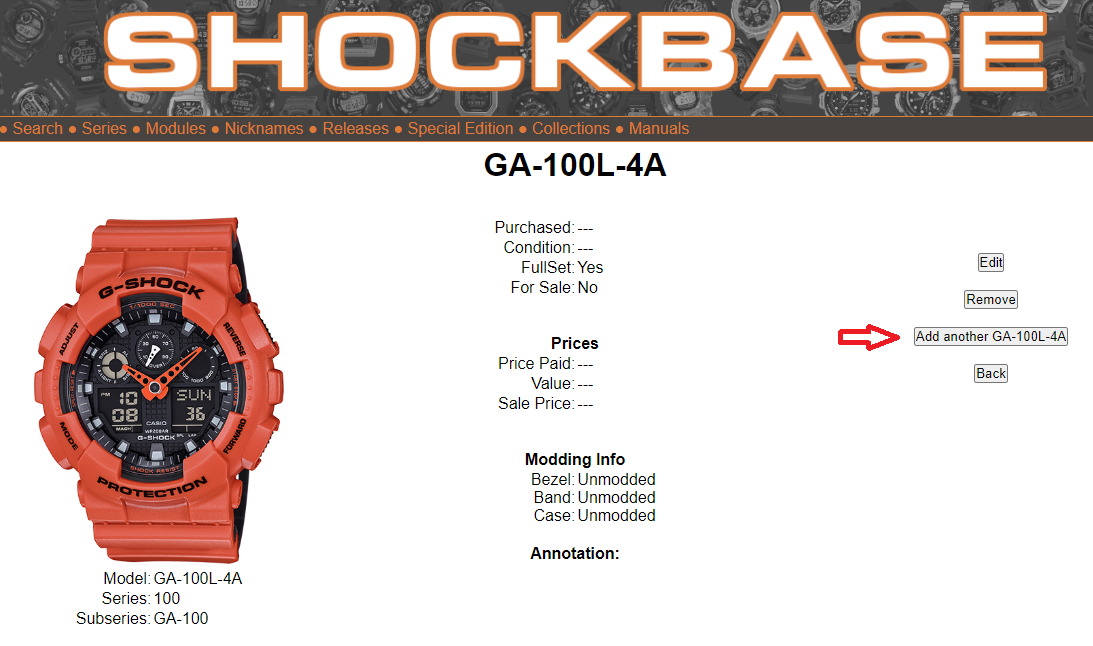
If you have a watch more than one time, you can add it multiple times. Therefore select it from the list "My Watches". On the detail screen press the "Add another xxx" button.
Remove Watches
To remove a watch, select it from the list "My Watches". On the detail screen press the Remove button.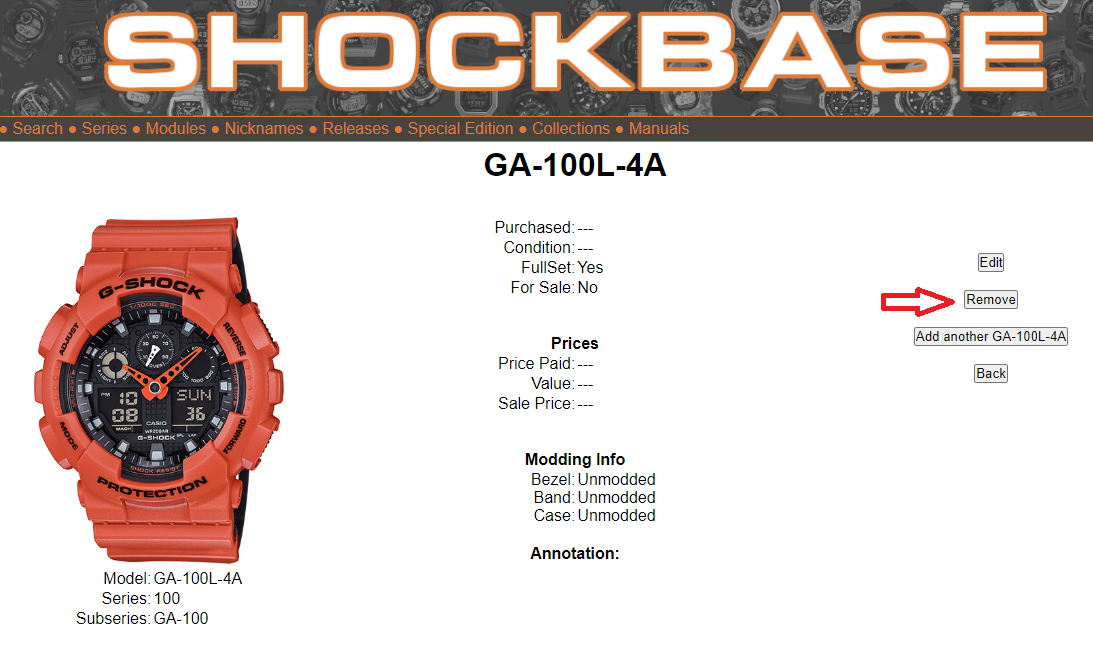
Watch Details
You can add details to every watch in your collection. Therefore select it from the list "My Watches". On the detail screen you see the details you have entered so far.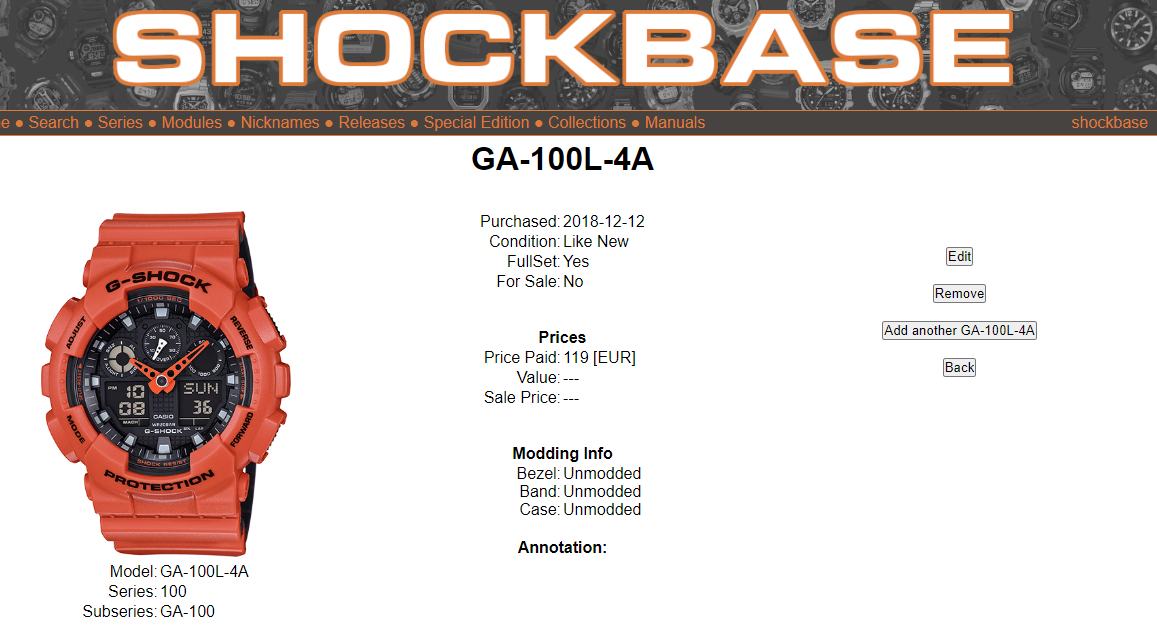
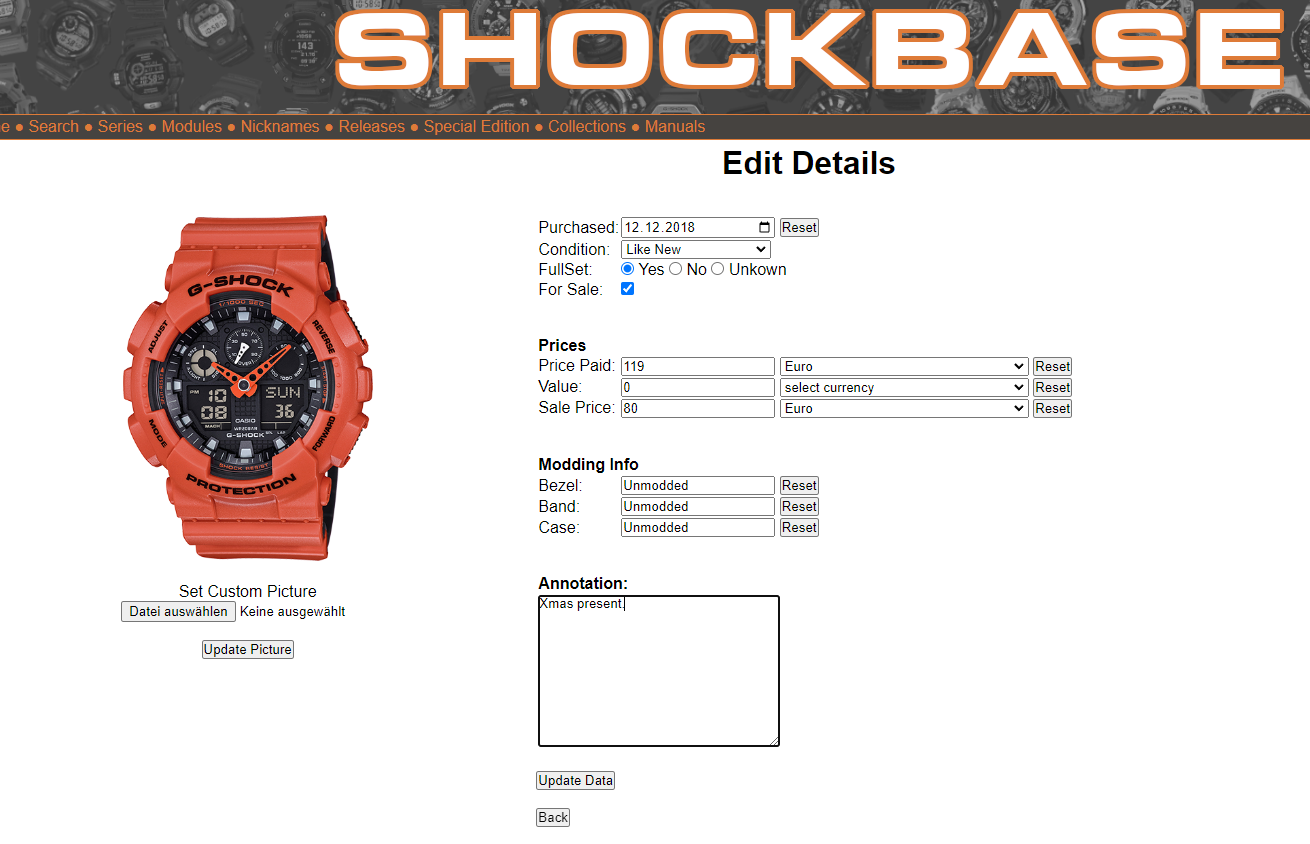
To change the watch details, click on the Edit button. This brings you to the "Edit Details" page. Change the data you want and press the "Update Data" button.
Custom Pictures
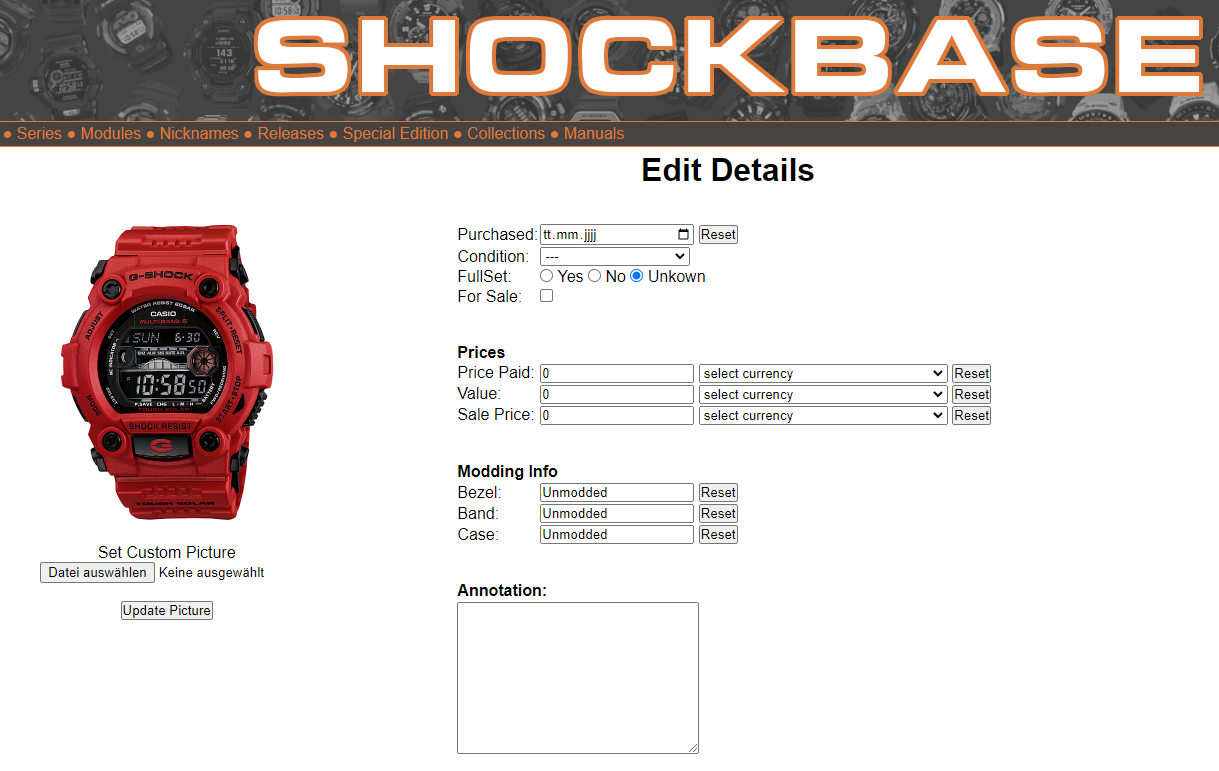
You can replace the pictures for any watch in your collection, for example if you have modded it.Therefore select it from the list "My Watches". On the detail screen click on the Edit button, this brings you to the "Edit Details" page.
On the "Edit Details" page, right below the picture of you watch, use the file select button to select you custom picture. Press the "Update Picture" button to upload and save your custom picture.
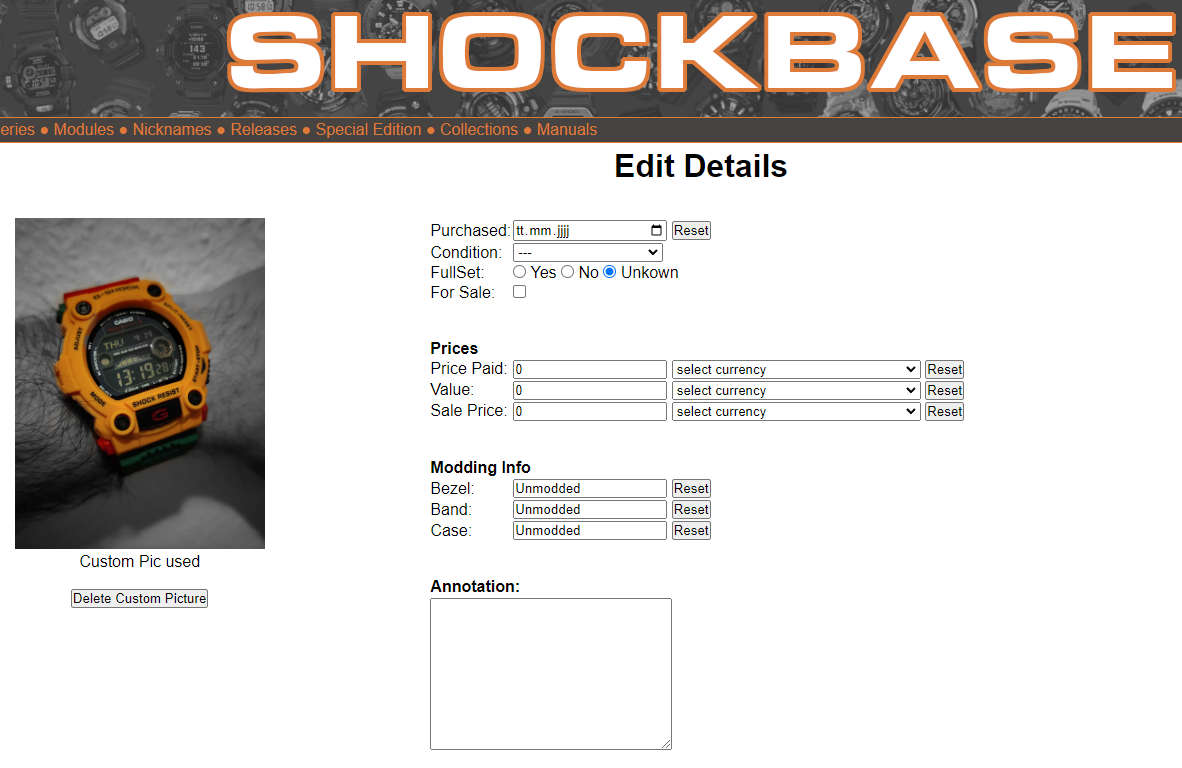
To remove a custom picture, click on the "Delete Custom Picture" button right below the picture on the "Edit Details" page.
List "My Wish List"
The watches you are looking for.To add watches, you need to be logged in. Select any watch from the ShockBase database and press the Add button next to "Wish List", to add the watch to the list "My Wish List".
To remove watches, you need to be logged in. Select the watch from the ShockBase database and press the Remove button next to "Wish List", to remove the watch from the list "My Wish List".